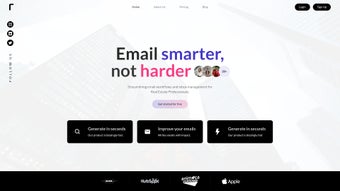

Download Taskified – AI‑Powered Email Management Tool for Faster, Smarter Communication
Overview
Taskified is an innovative AI‑driven web application built to streamline email management and supercharge productivity. Designed for professionals, freelancers, and anyone who spends a considerable amount of time in their inbox, Taskified turns routine email tasks into automated workflows. By leveraging a subscription‑based model, the service delivers a suite of tools that can draft full‑length emails from short prompts, summarize long threads, and suggest context‑aware templates for a variety of business scenarios.
The core experience lives inside a Google Chrome extension, allowing you to compose, read, and reply to messages without ever leaving the web page you’re working on. This “stay‑in‑the‑flow” approach reduces context‑switching, cuts down on manual typing, and lets you focus on higher‑value work. Whether you need a quick acknowledgment, a detailed proposal, or a polite follow‑up, Taskified’s AI engine adapts to your tone and intent, delivering polished content in seconds.
The platform also includes an organized template gallery, intelligent prioritization, and seamless integration with Gmail, making it a comprehensive solution for modern email communication.
Key Features that Transform Your Inbox
- AI‑Generated Email Drafts: Type a brief prompt or bullet points, and Taskified creates a complete, well‑structured email that matches your preferred style.
- Instant Inbox Summaries: Summarize long email threads into concise overviews, helping you grasp key points without scrolling through every message.
- Template Gallery: Access a curated collection of professional templates for sales outreach, support tickets, meeting requests, and more.
- One‑Click Insertion via Chrome Extension: Generate, edit, and insert content directly into Gmail without opening a separate window.
- Smart Prioritization Engine: The AI flags urgent messages, suggests next actions, and groups related conversations for easier management.
- Secure Cloud Processing: All AI operations run on encrypted servers, ensuring your data remains private and compliant with industry standards.
- Continuous Learning: The system adapts to your writing habits over time, improving relevance and personalization of suggestions.
- Multi‑Language Support: Draft emails in over 20 languages, with automatic translation and tone adaptation.
- Seamless Sync with Gmail Labels: Generated emails inherit your existing label structure, keeping your organization intact.
- Regular Updates & New Features: Subscribers receive monthly feature releases, performance enhancements, and AI model upgrades.
These features work together to reduce the average time spent on email by up to 50 %. By automating repetitive tasks—such as writing follow‑ups, acknowledging receipt, or summarizing project updates—Taskified frees mental bandwidth for creative problem‑solving and strategic planning. The AI engine is built on large language models that have been fine‑tuned on business communication datasets, guaranteeing a professional tone while allowing flexibility for informal or friendly correspondence. Moreover, the Chrome extension’s lightweight design ensures it doesn’t slow down your browser, and its context‑aware activation means you only see the AI suggestions when you actually need them.
Installation, Usage & Compatibility
Getting started with Taskified is straightforward, even for users with limited technical expertise. Follow these steps to install the Chrome extension, configure your preferences, and begin drafting smarter emails:
Step‑by‑Step Installation
- Visit the Taskified page on the Chrome Web Store and click “Add to Chrome.”
- A confirmation dialog appears; select “Add extension.” The extension icon will appear next to your address bar.
- Sign in with your Google account to link Taskified to your Gmail inbox. If you do not have a Taskified subscription yet, you’ll be prompted to start a free 7‑day trial.
- Open Gmail in a new tab. You’ll notice a new “Taskify” button inside the compose window and a sidebar widget for quick access to templates and summaries.
How to Use the Core Functions
Once installed, the extension integrates seamlessly with Gmail’s UI. To draft an email, click the “Taskify” button in the compose window, then type a short description of what you need (e.g., “Request a meeting with the product team next week”). Taskify’s AI will generate a polished draft, which you can edit further or send instantly. For summarizing an inbox thread, open the conversation, click the “Summarize” icon on the right‑hand sidebar, and a concise bullet‑point overview will appear within seconds.
Templates are accessed via the “Templates” tab in the sidebar. Browse categories, preview a template, and insert it with a single click. The AI can also customize a chosen template based on the email context you provide, ensuring each message feels personal.
Compatibility and System Requirements
Taskified is built as a browser‑based extension, which means it works across any operating system that supports Google Chrome, including Windows 10/11, macOS Catalina and later, Linux distributions, as well as Chrome OS. While the primary experience is optimized for desktop browsers, the underlying AI service is accessible via a responsive web dashboard that can be used on tablets and smartphones running Android or iOS. However, the full Chrome‑extension features (such as one‑click insertion) are only available on desktop Chrome. Minimum requirements include:
- Google Chrome version 89 or newer.
- Stable internet connection (minimum 5 Mbps recommended for real‑time AI processing).
- Gmail account with IMAP/SMTP enabled (standard for most Google Workspace users).
Because all AI processing occurs in the cloud, there are no heavy local resource demands. Users with older hardware can still enjoy the same speed and accuracy as those on high‑end machines.
Pros, Cons & Quick Reference
Pros
- Significant time savings on email composition and summarization.
- AI generates context‑aware content that matches your tone.
- Rich library of professional templates for diverse scenarios.
- Seamless Chrome integration eliminates the need to switch tabs.
- Secure, encrypted cloud processing protects sensitive data.
- Multi‑language support expands usability for global teams.
- Regular updates keep the AI models cutting‑edge.
- Free trial allows risk‑free evaluation before committing.
Cons
- Full feature set requires a paid subscription after the trial.
- AI suggestions may occasionally need manual tweaking for highly specialized content.
- Chrome‑only extension limits usage on browsers like Safari or Edge.
- Dependent on internet connectivity; offline functionality is limited.
- Learning curve for users unfamiliar with AI‑assisted writing.
Overall, the benefits of reduced workload and higher email quality outweigh the modest drawbacks, especially for users already embedded in the Google ecosystem.
Frequently Asked Questions
Is Taskified safe for handling confidential business emails?
Yes. All data transmitted to Taskified’s servers is encrypted using TLS 1.3, and the AI models do not retain personal content after processing. The service complies with GDPR and CCPA standards, ensuring that confidential information remains private.
Can I use Taskified on a MacBook with Safari?
Taskified’s full feature set is available only through the Google Chrome extension. While you can access the web dashboard on Safari, one‑click email insertion and template shortcuts require Chrome.
How does the free trial work and when will I be charged?
New users receive a 7‑day free trial with unlimited access to all features. You’ll be prompted to enter payment details before the trial ends. If you cancel before the trial expires, no charge is applied. Otherwise, the subscription renews automatically each month.
Can Taskified integrate with email clients other than Gmail?
Currently, Taskified is optimized for Gmail and Google Workspace accounts. Future updates aim to support Outlook and other IMAP‑based services, but they are not available at launch.
What happens to my email drafts if I lose internet connection?
Drafts created locally in Gmail are saved automatically. However, AI‑generated suggestions require an active connection. If the connection drops, Taskified will notify you and resume processing once you’re back online.
Conclusion & Call to Action
Taskified stands out as a powerful ally for anyone looking to regain control over their inbox. By automating routine writing tasks, providing instant summaries, and offering a robust template library, it dramatically reduces the time spent on email while improving the professionalism of each message. The Chrome extension’s seamless integration ensures that you stay focused on the task at hand, and the secure, cloud‑based AI guarantees that sensitive information remains protected. If you’re ready to transform the way you communicate and boost overall productivity, download Taskified today and start your free trial. Experience the future of email management—one intelligent draft at a time.



.png)



